AI study system for students
Turn your study material into an exam-ready study system
Upload what you're studying. CruxDoc turns it into summaries, flashcards, quizzes, and exam practice. Every answer cited to its page.
Drop a document to get started
PDF, Word, PowerPoint, text, images, audio or video. Up to 20 MB and 50 pages. No account needed for your first one.
Processing continues if you close the tab.
Without an account: 1 document, up to 50 pages, 3 questions, kept for 24 hours. Sign up any time and it comes with you.
Upload
Notes, PDFs, slides, scans, or a lecture recording.
Understand
Cited answers and summaries you can check in one click.
Remember
Flashcards on a spaced-repetition schedule; blurting graded against the source.
Practice
Exam-mode quizzes: one question at a time, source closed.
Review
Missed cards come back sooner, and every missed point names its page.
Verified citations
What a verified answer looks like
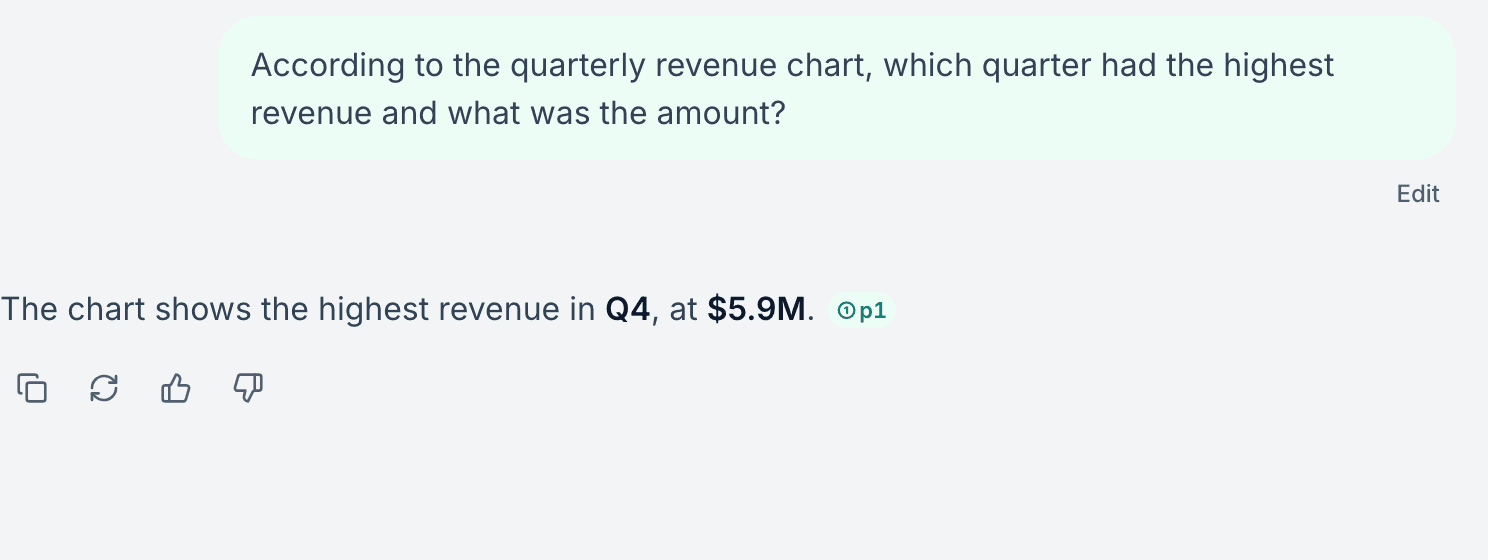
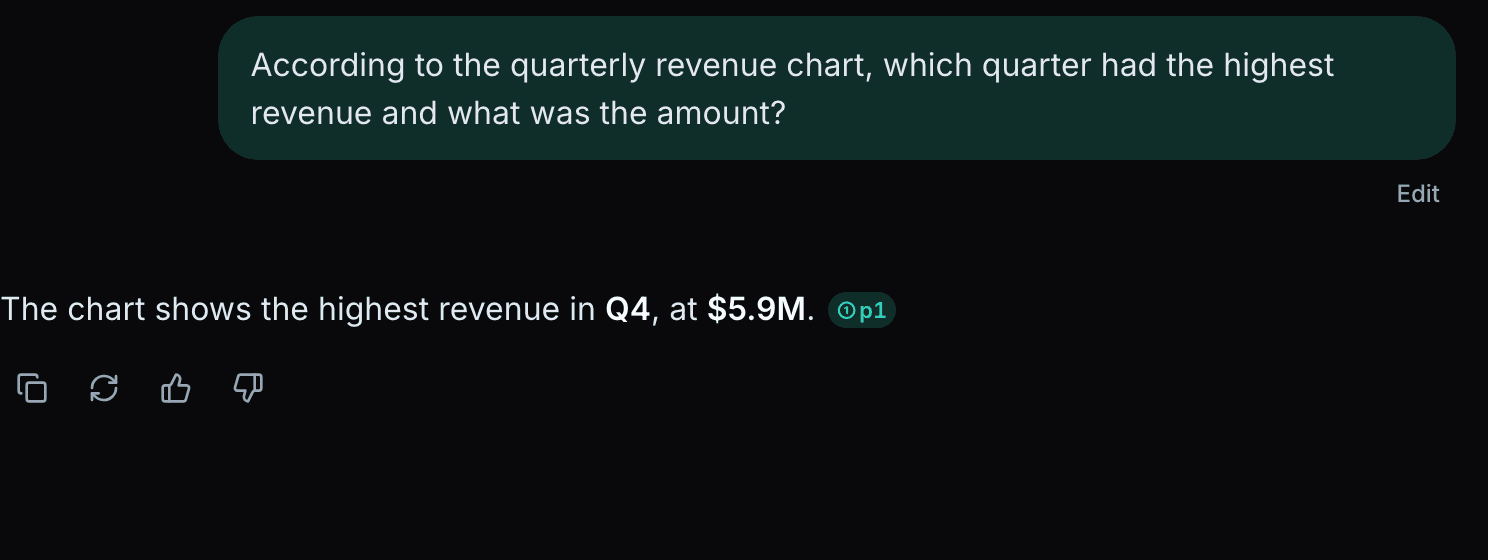
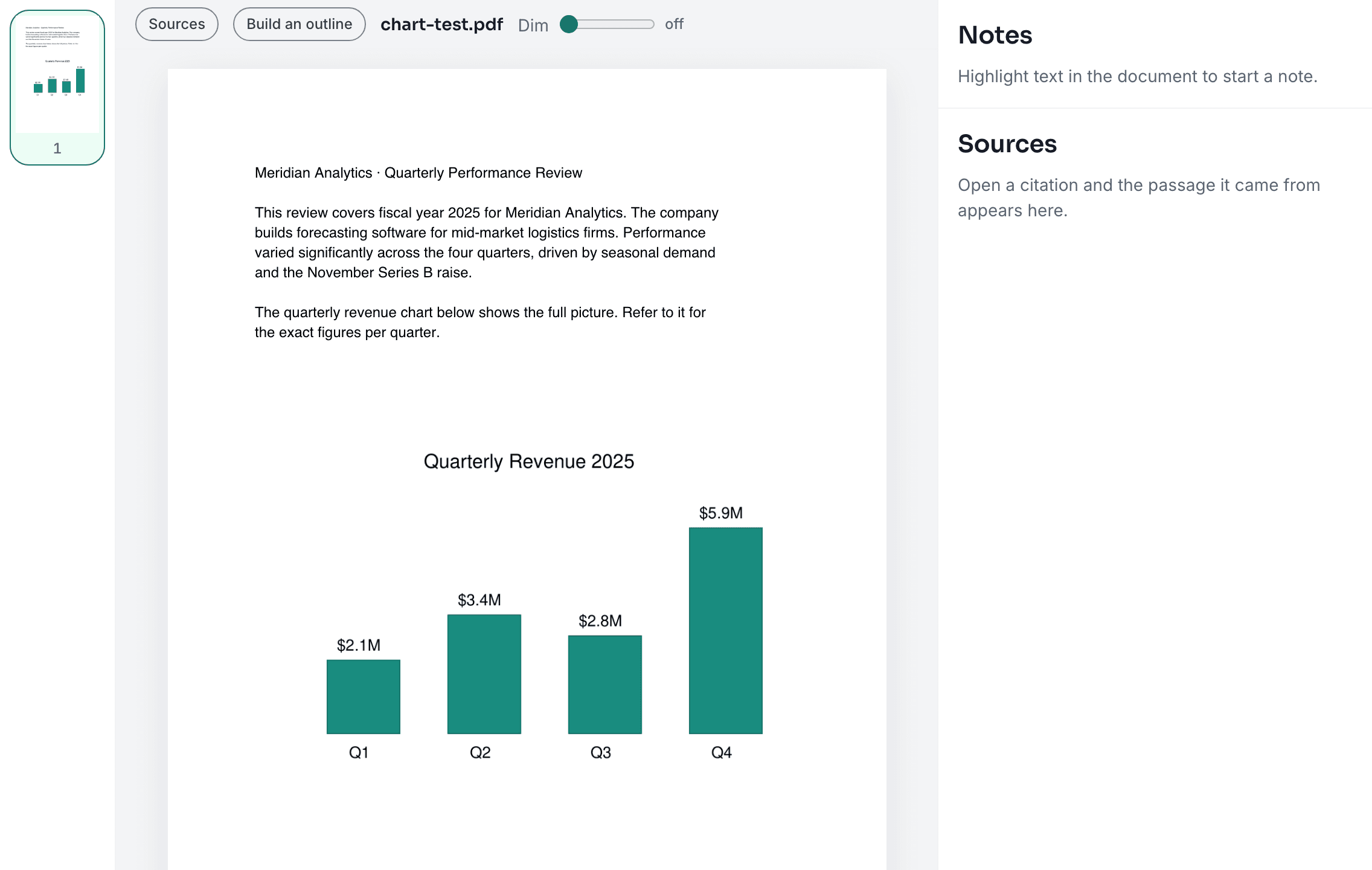
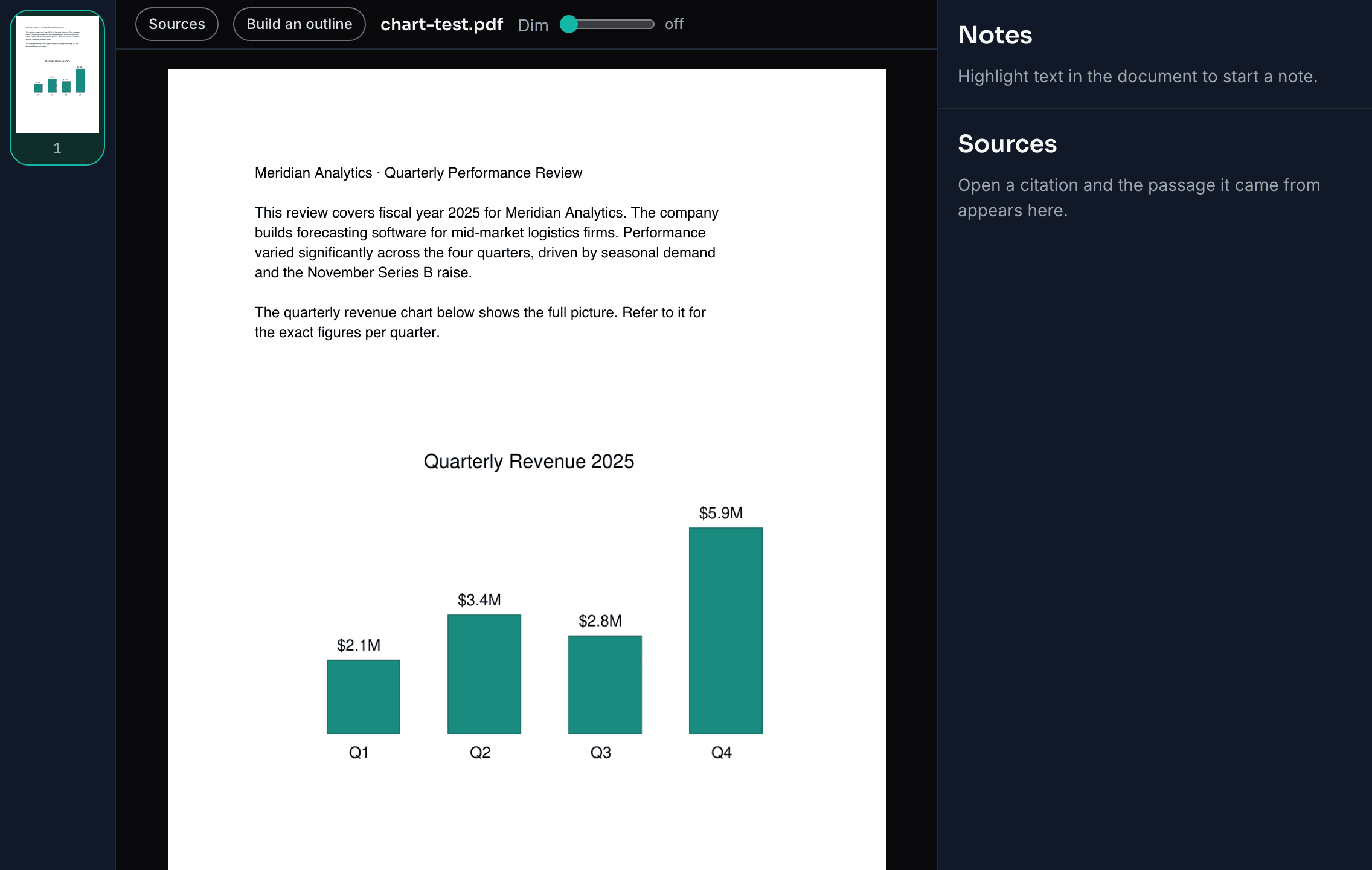
This is a real answer to a real upload. The chart's numbers appear nowhere in the document's text; the model read the figure itself, and the quoted citation was string-matched against page 1 before it was rendered. If that check fails, no citation is shown.
AI that invents quotes fails your exam
Chat AIs are fluent liars: they will cite page 47 with total confidence whether or not page 47 says any such thing. CruxDoc treats that as the product's one unbreakable rule. Every quoted citation is string-matched against the source before it is shown. Verified, or not rendered.
Understand it, then actually retain it
The documents you chat with feed a full study layer. No re-uploading, no copy-paste.
Exam-mode quizzes
One question at a time, source closed. Practice under exam conditions, then open the page behind every answer.
02Blurting, graded
Write everything you remember; CruxDoc grades it against the document and shows exactly what you missed.
03Flashcards + spaced repetition
Cards generated from your material, scheduled so the ones you miss come back sooner.
Anki export
Curated decks leave as real .apkg files and import straight into Anki. Your flashcards are yours.
One workspace for everything a course throws at you
PDFs & scans
Page-cited answers; scanned pages are OCR'd and labeled as such.
Word & PowerPoint
docx, doc, odt, rtf, pptx, ppt, odp. Converted and read like any PDF.
Lectures & videos
Transcribed and indexed by time; answers cite the exact timestamp.
Figures & charts
Pages with diagrams are read visually, so a chart's numbers count too.
Frequently asked questions
Q.01Is CruxDoc free?
Yes. Your first document needs no account: 1 document, 3 questions, kept for 24 hours. A free account raises that to 10 documents of up to 1,000 pages each and 100 questions a month, with the full study layer. Pro ($19/month) raises the limits further.
Q.02Do I need an account to try it?
No. Drop a document on this page and ask your questions. If you sign up later, the document comes with you. Nothing to upload twice.
Q.03What file types work?
PDF, Word (docx, doc, odt, rtf), PowerPoint (pptx, ppt, odp), text and Markdown, images, and audio or video recordings. Scanned documents are read with OCR automatically.
Q.04How are citations verified?
Before an answer reaches you, the server string-matches every quoted citation against the actual text of your document. A quote that does not exist in the source is not rendered as a citation. Clicking a citation opens the exact page with the passage highlighted.
Q.05Can it read charts and diagrams?
Yes. Pages that carry figures are also read visually when answering, so a chart whose numbers appear nowhere in the text can still be read. Quoted citations still come only from the document text.
Q.06Does it work with lecture recordings?
Yes. Audio and video are transcribed and indexed by time, and answers cite the exact timestamp. One click jumps to the moment in the recording.
Q.07Can I export my flashcards to Anki?
Yes, as a real .apkg deck (or CSV). Your study materials are never locked in.
Q.08Is my data private?
Your documents are yours: they are stored for answering your questions, never shared with other users, and anonymous uploads are deleted after 24 hours. Deleted documents go to a trash with a 30-day restore, then are purged.
One upload. Your entire study system.
Drop a document to get started
PDF, Word, PowerPoint, text, images, audio or video. Up to 20 MB and 50 pages. Free. No account needed for your first one.
Processing continues if you close the tab.
Without an account: 1 document, up to 50 pages, 3 questions, kept for 24 hours.