Ask "where does it say that?" and get the clause
Ctrl+F finds words; it does not find meaning. CruxDoc finds the clause you mean — the indemnity buried in section 14, the auto-renewal in the schedule — quotes it verbatim, verifies the quote against the page, and opens the reader right there.
Drop a document to get started
PDF, Word, PowerPoint, text, images, audio or video. Up to 20 MB and 50 pages. No account needed for your first one.
Processing continues if you close the tab.
Without an account: 1 document, up to 50 pages, kept for 24 hours. Sign up any time and it comes with you.
How it works
Upload the document
Contract, lease, policy, or terms — scans included.
Ask in your words
"Where does it say the deposit is refundable?" "Is there a penalty for leaving early?"
Get the clause, cited
The exact quote with its page chip; one click opens the reader on the passage.
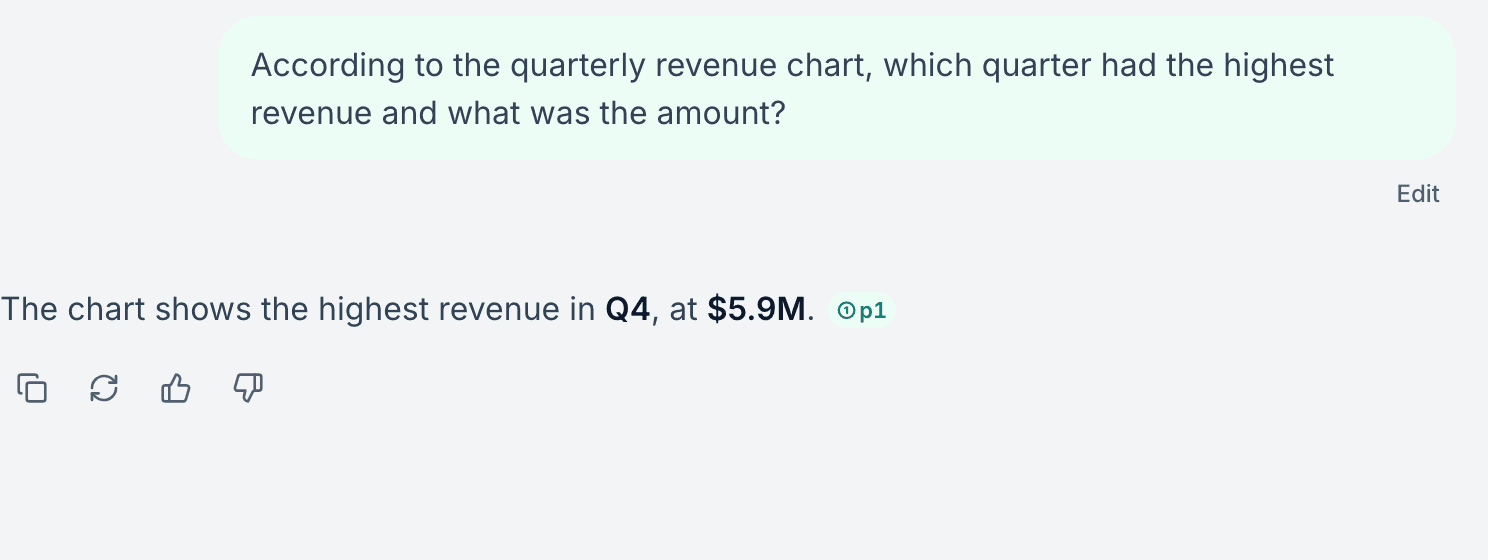
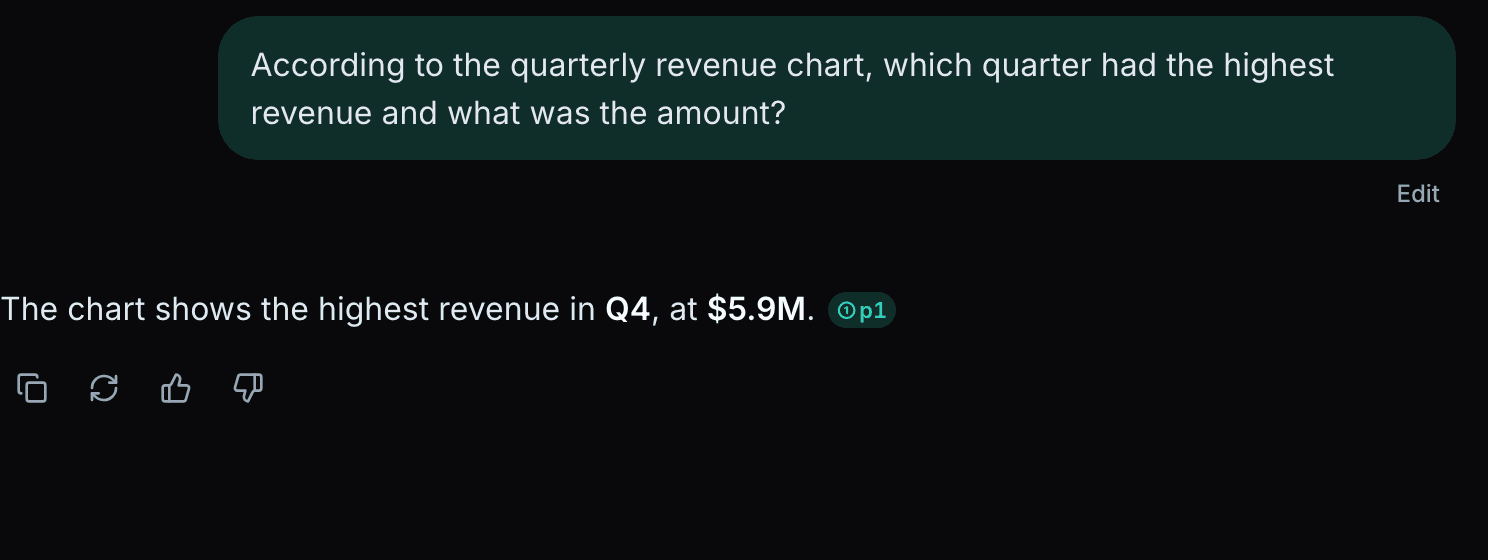
A real answer, chip included
This is an actual CruxDoc answer to an actual upload. The claim carries its page chip because the quoted text was found on that page by the server — the check runs before the answer renders, every time.
Exhaustive asks are first-class: "find every mention of liability" reads all pages, not the top search hits, so nothing is silently dropped from the list.
Beyond the review: five things it can hand you
Every tool reads the whole document, quotes it, and keeps the run in your history to reopen free or share as its own page.
Handoff report
The review as a lawyer-ready PDF: findings, key terms, every quote cited.
Deadline calendar
Every date with its page, downloadable as an .ics your calendar imports.
Compare versions
Two drafts, every changed clause quoted from each, ranked by what it costs you.
Playbook check
Your standard positions, checked clause by clause against this document.
Negotiation brief
What to push back on, what to concede, and the clause each point rests on.
Frequently asked questions
Q.01How do I find a clause in a contract?
Upload the document and ask in plain language: "where does it say the signer indemnifies", "what does it say about early termination", "is there a non-compete". The answer quotes the clause and cites the page; clicking opens the reader on that exact spot.
Q.02What if the clause is not in the document?
CruxDoc says so. Exhaustive questions ("find all termination clauses", "list every deadline") read the entire document, so a "not found" means it was not found — not that the search gave up after a few pages.
Q.03Can I trust the quotes?
Each quoted citation is string-matched against the document text on the server before it renders. A quote that does not exist in your document is never shown as a citation.
Q.04What documents does it work on?
Contracts, leases, employment agreements, terms of service, insurance policies — any PDF, Word or PowerPoint file, text, or scan (read with OCR). Questions work in any language.
Q.05Is it free?
Yes to start: your first document and three questions need no account at all.
Find a clause now
Drop a document to get started
PDF, Word, PowerPoint, text, images, audio or video. Up to 20 MB and 50 pages. Free. No account needed for your first one.
Processing continues if you close the tab.
No account needed for your first document.